Whether you’ve cut the cable or are looking to add internet TV to your viewing options, you need a streaming device that fits your budget, system, and lifestyle.
More and more people are cutting the cable and connecting their TVs to the internet, so finding the best streaming device for watching internet TV is becoming a hot topic. Streaming devices send content from your mobile phone, tablet, or other device to your TV screen so you can watch your favorite shows and movies on the big screen with crisp, clear images. Streaming devices come in a wide range of prices and offer almost the same number of features. Here are the key aspects to consider before choosing a streaming device.
Streaming Devices
One of the most important decisions you’ll make before buying a streaming device is which content delivery service you’ll use. One of the most popular content providers is Amazon, which offers content from its Amazon Prime Media, Amazon Instant Video, and Amazon Prime Music platforms through Amazon Fire TV and Amazon Fire TV Stick. By adding separate apps, you can also watch shows and movies from Netflix, Sling TV, PlayStation Vue, HBO Now, and Hulu Plus.
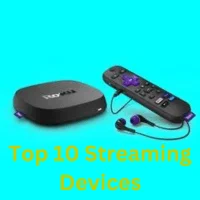
Roku offers one of the widest selections of content through one of its six streaming devices, including the affordable Roku Express, Roku Streaming Stick, and Roku Ultra. The Roku Channel Store does not market its own content. Instead, it facilitates access to thousands of streaming providers, including Amazon Instant Video, Netflix, Sling TV, Hulu Plus, Twitch, Google, YouTube, and many others, including many smaller media outlets that are not very accessible.
The main app that does not offer this is iTunes. If you’re an Apple user, you’ll need a streaming device that’s compatible with all your other iOS devices, like the Apple TV 4K. This gives you access to content from major platforms like Netflix, Hulu, and Sling TV, as well as Apple apps like iTunes, which are often unavailable on non-Apple systems. However, you won’t be able to run competing apps like Spotify, which competes with iTunes.
There are other content providers, like Android TV, which has a relatively small app store through the Nvidia Shield but offers a large selection of games, including PC games. Google also has its own media app store, which includes major platforms like Netflix, Hulu Plus, and Sling TV.
Resolution
Another big concern these days is resolution. Thanks to technological advancements, you can enjoy the sharpest and most accurate picture ever, but it depends not only on the size and resolution of your screen, but also on the compatibility of your streaming device. Let’s say you’re looking for a high-end device with excellent picture quality and Dolby surround sound. In that case, your best bet is the Apple TV 4K or Nvidia Shield, which offer excellent resolution and sound quality. The Amazon Fire TV, Roku Streaming Stick Plus, and Roku Ultra all offer 4K resolution and HD options. The Google Chromecast Ultra deserves special mention for having the most HDR options and a relatively low price.
Controls
Another important aspect is that you’ll have control options for changing channels and searching for content. Streaming devices usually include on-screen menu systems and dedicated remote controls, making it easy to find content without leaving your couch.
Voice control is handy, especially when it includes native language support, which lets you ask, “Show me the latest episode of ‘Homeland’” instead of typing the request. The Amazon Fire TV and Amazon Fire TV Stick are compatible with Alexa, though only the Amazon Fire TV will respond. The Apple TV 4K is integrated with the Siri voice assistant, and the Nvidia Shield connects to Google Home so you can use your Google Home system to control what you’re watching on your TV. The Roku Ultra and Roku Streaming Stick Plus have a voice search option so you can even send commands to others.
Price
No matter what you buy, price will always influenceour decision. You can get very effective traditional streaming devices for as little as $30, like the Roku Express and Amazon Fire TV Stick, both available for $29.99, or the Google Chromecast, which typically costs around $35. While it doesn’t include extra features like voice control, HD or 4K picture resolution, or other perks, you’ll have reliable access to the same content as more expensive models from the same brand.
On the other hand, more expensive streaming devices cost upwards of $100 with much more advanced features. The Apple TV 4K costs around $180 for advanced 4K resolution, Siri voice assistant, and other perks, while the Nvidia Shield costs $200 for an intense and immersive viewing and gaming experience.
There are also plenty of mid-range options that sell for $50 to $70, such as the Roku Streaming Stick for $48.58, the Google Chromecast Ultra for $69.99, and the Amazon Fire TV for $49.99.
Features
All streaming devices share content from your device to your big-screen TV. However, if you’re having a hard time choosing between models, there are some extra features that you may not need but will enjoy. A high-speed streaming connection is a great addition, especially useful for gamers who don’t want to be interrupted by anything. The Nvidia Shield provides a high-speed connection, so the only thing slowing you down is your reflexes.
A unique feature of the Amazon Fire TV is that it offers a web browser right on the TV screen, turning it into a larger version of a desktop computer. Let’s say you have an old TV that doesn’t have an HDMI port. Then you’ll appreciate the traditional AV input cable that comes with the Roku Express, making it the only streaming device that’s compatible with your old screen. The Roku Ultra has a ton of features, including a wired Ethernet connection for faster content downloads, a MicroSD slot for easy photo viewing, a headphone jack on the remote, and a search button on the remote. It also includes a smart night listening mode that continuously adjusts the volume so you don’t lose sleep.
Start Streaming TV to Your Screen Today
With so many features, content sharing systems, price ranges, and resolution levels, there’s no stopping you from finding a streaming device that fits your device, budget, and viewing preferences. Expand your TV experience by streaming TV online today.