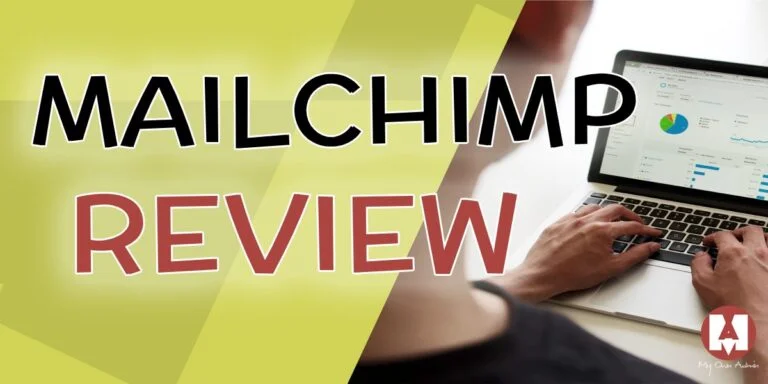
MailChimp offers an intuitive and easy-to-use email marketing system that uses tracking, data, and proven tools to help you create targeted, effective emails and campaigns that connect with your customers.
Pros
- Easy-to-use email builder
- Extensive monitoring tools
Cons
- No phone support
- Limited free version
Why Choose MailChimp
It’s hard to find fault with the free plan, which lets you send 10,000 emails per month to up to 2,000 accounts. For large companies, this probably won’t be enough, but for small businesses, it’s a safe way to use one of the best email marketing services on the market. MailChimp is easy to use and guides you step-by-step through the process of creating campaigns with an interface (including drag-and-drop templates) that’s easy even for beginners.
You have several campaign options, such as strengthening your brand, connecting with your contacts, increasing sales, building customer loyalty, and encouraging repeat business.
All of these features will guide you with recommendations on how to personalize your emails and make them more engaging, as well as use comprehensive tracking to see who is clicking on your campaigns and how you can improve your results. For online stores, MailChimp can track user purchase data to help you better segment your target audience in the future.
Standard features:
- Easy-to-use email editor.
- Seamless integration with hundreds of apps, including e-commerce platforms like Shopify, Magento, and WooCommerce.
- More advanced segmentation: comprehensive marketing automation.
- Advertising campaigns on Facebook and Instagram.
- Campaign reports.
- Over 80 email templates.
- User-friendly app.
Templates
.Email campaigns in MailChimp are created with an easy-to-use drag-and-drop template interface. There are 9 different email designs available, with 5 templates based on user intent and over 80 themes.
Themes range from events and holidays to stationery promotions and offers. You can also design your own templates for future use using the email editor. The templates look great in the MailChimp app and are mobile-friendly, meaning you can edit them on your phone or tablet, and they’ll look perfect for readers on any device.
Pricing
MailChimp’s pricing plan depends on the size of your project. Each plan offers different features depending on the number of contacts.
Check the MailChimp website for pricing information based on the number of contacts you have, and MailChimp will adjust the price accordingly. For example, if you have 500 contacts, the Standard plan starts at $17 per month. But if you have 5,000 contacts, the Standard plan will cost you $90 per month. If you have hundreds of thousands of contacts, MailChimp may offer you a custom plan.
It’s important to note that all pricing plans have additional fees. So, if you exceed your campaign’s send or contact limits, MailChimp won’t stop the campaign, but you’ll be charged an additional fee.
Ease of Use
Before you can start using MailChimp, you’ll need to answer a few questions. When you create a new account, you’ll be asked to enter your name, email address, and phone number. You’ll then need to enter your email address and password, followed by your company name, website, and other basic information. You can then subscribe to receive a series of emails that will guide you through the process.
Follow the “create a campaign” instructions and the system will guide you step by step. You can easily find a new audience with ads or attract subscribers with pop-ups.
MailChimp will walk you through everything you need to know about the email marketing process. It will teach you where to place your recipients, how to use templates, and who to send your emails to. You’ll get tips on how to write effective emails or ads that will drive clicks—specialized knowledge that most beginners simply don’t have.
The platform will also show you various tracking data from your campaign to help you see whether you’re succeeding or not. The templates are very easy to use; they have an intuitive drag-and-drop interface, similar to what most of us have used in website builders. It’s that easy.
Features
MailChimp’s free version is a key feature, as it’s a great way to test the product risk-free while still being able to use most of the features. The familiar interface and ease of use are another advantage and are undoubtedly a key factor in the success of the program in recent years.
Segmentation makes the service smart and does much more than anyone can do on their own: sending mass emails. There is science behind this, and by using segmentation tools, you can definitely increase your email traffic and the likelihood of achieving better results.
Segmentation
Some users have noticed that the automation and segmentation options are not as extensive as on other platforms. This may not be a problem for small businesses, but if you plan to grow (or hope to), it could become one in the future.
MailChimp offers several free e-commerce features that can help businesses increase revenue and collect customer data.
MailChimp will modify your email address and send emails with product offers, promotional codes, and segment your customers. Ecommerce reports and analytics are free with MailChimp, and you can also buy ads to run on Facebook and Instagram (starting at $5 per day).
MailChimp has a mobile app for Android and iOS phones, which means you can manage your email campaigns and access your email data no matter where you are.
Main characteristics:
- Free to start
- Automated emails to keep customers engaged
- Sophisticated data collection and input
- Ecommerce integration to boost your online business
- Mobile app to manage your account anytime, anywhere
- Attractive and eye-catching templates that will grab your customers’ attention
Customer Support
MailChimp has an extensive knowledge base on its website, where you’ll likely find answers to most of your questions. Both paid and free users have full access to the online support form. However, emails sent through the support form went unanswered for hours.
Free users can only access the knowledge base and email support. You need a paid plan to access live chat support. It’s worth noting that email support also allows you to attach screenshots, so if you’re having trouble explaining a problem, you can send an image.
MailChimp doesn’t offer phone customer support to keep costs down. It does include several resource guides and a blog where you can find helpful information to help you solve any issues.
Conclusion
MailChimp is a comprehensive email marketing platform that helps businesses create effective and targeted email campaigns to improve customer engagement, word-of-mouth, and overall revenue.
It offers several payment options, including free, and various features to optimize your email marketing. It also features an intuitive interface and is very user-friendly for any user.
About MailChimp
Founded in 2001, MailChimp is now the industry leader with over 14 million active users. Its customers send over 246 billion emails each year.
Headquartered in Atlanta, it is perhaps the most popular email marketing service, mainly due to its prominent advertising campaigns in the US, including its sponsorship of a popular podcast series. MailChimp is a founder-owned company with over 700 employees, and has established itself as an innovative and constantly growing company in the technology world.