
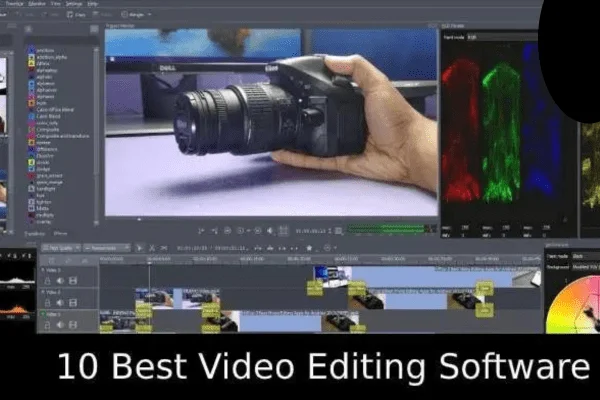
Today’s video editing software is incredibly powerful. You can create professional-quality, Hollywood-style videos right on your personal computer if you use the right software. Basic editing tasks like trimming and splitting clips, adding text and art overlays, and animations are now standard in almost all video editing programs. Today’s top video editing programs compete on features like 3D editing, processing speed, and the number of special effects available.
It’s important to know what features to look for when comparing the many video editing software options on the market. We’ve created this guide on what to look for in the best video editing software for those who aren’t sure which software is best for their needs.
Ease of Use
One of the most important considerations when choosing a video editing software is ease of use, compared to the program’s features. Some video editing tools are simpler and much easier to use. On the one hand, this makes them less powerful, but it also means that beginners can more easily create simple videos. Corel VideoStudio focuses on making movie editing easier for new users, while Adobe Premiere Elements offers a similar experience, prioritizing ease of use with advanced features.
If you’re looking for powerful features but don’t yet have much experience editing videos, we recommend programs like HitFilm or CyberLink PowerDirector, which include an extensive library of tutorials and videos. You can also edit on your own if you choose a program with an intuitive interface, such as Apple iMovie.
Users with experience editing videos will probably be better suited to the more sophisticated interfaces of advanced programs like VSDC Free Video Editor and Shotcut, both of which have very comprehensive features and sophisticated interfaces. If you decide to use a professional program but don’t have any prior experience editing videos, a program like Adobe Premiere Pro, with its intuitive and easy-to-use interface, good tutorials, and advanced features, will likely be very useful.
Price
Currently, video editing programs offer a wide range of prices, from free programs to premium versions. Not all “free” video editing programs are truly free. Many claim to be free, but reserve most of their features for paid users or include a watermark on the video. However, Apple iMovie, Shotcut, and Blender are among the completely free programs you can use. Blender is open source, so you can count on it to be free.
Other programs have both free and paid versions, such as HitFilm, which offers a free basic program and a premium version for $349 for use on up to three computers. You can also pay to purchase additional tools separately in addition to the free basic version. It’s important to consider mostly free programs, such as VSDC Free Video Editor, which offers the full program for free but requires payment for technical support.
If you decide to pay for a video editing program, you can choose a one-time license like Corel VideoStudio or Adobe Premiere Elements, which cost $99.99, or a monthly subscription like Adobe Premiere Pro.
Operating System
Obviously, you’ll want to make sure you choose a video editing program that’s compatible with your operating system. Some options, like Adobe Premiere Elements, are cross-platform. If you’re using Linux, your options are likely more limited, but Avidemux, Blender, and Shotcut are still available to you, as well as Windows and Mac users. It’s worth noting that Apple iMovie only works on Macs, while VSDC Free Video Editor is designed exclusively for use on Windows devices.
Speed of Performance
The more features your video editing software offers, the more likely it is to be slow unless you have a very powerful computer. You may not mind waiting a while for videos to load or play; in fact, that’s quite to be expected. However, some programs, such as HitFilm, require a more powerful device to run smoothly, while others, such as CyberLink PowerDirector and Corel VideoStudio, are faster.
Supported Video File Formats
Another important aspect to consider is the file formats supported by each video editing software. This applies to both the formats you can use when uploading a video to the program, as well as the output formats. Finally, it’s important to make sure that the editing software can open the format used by your digital camera. If you want to get feedback on your video or use it in presentations or marketing campaigns, you’ll also need a program that can export the final content in the format you need.
Fortunately, most programs can import and export a variety of different file formats. Many programs, including Adobe Premiere Elements, Corel VideoStudio, CyberLink PowerDirector, and more, support the 4K XAVC-S format. Avidemux offers export formats such as AVI, DVD, MPEG, MP4, and QuickTime, among others.
Features
One of the most important features to consider in a video editing software is the variety of features it includes. And it’s also the most interesting. Some programs, like Blender or Adobe Premiere Pro, include hundreds of features, too many to list. However, these are some of the most common features to look for when comparing video editing programs.
All video editing programs have special effects, from a few filters to dozens of advanced effects such as smoke, selective special effects, motion tracking, transparency, and more.
Chroma keying, also known as green screen, allows you to create exotic backgrounds and seamlessly place your characters in a wide range of unexpected locations. Simply select the chroma key options and choose your favorite background.
Color correction and adjustment tools allow you to adjust brightness, hue, and saturation levels, sometimes with extreme precision. Adobe Premiere Pro offers the Lumetri Color tool, which provides color correction similar to Photoshop.
Multicam functionality is becoming increasingly popular in video editing programs. It allows you to work on and combine multiple camera angles simultaneously, although the number of cameras supported by each program varies.
3D editing is another popular option, as is 360-degree video editing in new and popular video formats.
Create Professional Videos with Video Editing Software
Whether you’re a vlogger, a marketing professional, a home video enthusiast, or just want to have fun experimenting with video effects, you’ll find video editing software to suit your experience level, budget, and device.