Lightspeed offers powerful POS systems for the retail and restaurant industries, with a focus on U.S. retail. Whether you use Lightspeed Delivery for your restaurant or Lightspeed eCom to sell products, you’ll get the same level of detail and functionality. Accounting integration with QuickBooks is just a few clicks away. You can also manage special orders and discounts from your Mac or iPad and include special details like branded coupons.
Pros
- Real-world analytics for production, sales, and employee management.
- No setup costs.
Cons
- High monthly costs
- Customer complaints about software crashes.
Here’s Why Successful Businesses Choose Lightspeed
“We’ve been using Lightspeed since it launched. They’re a great company to work with small businesses, and they really care. The software continues to evolve and seems to get better with each update. I would recommend it to any small business that wants to be as efficient as possible and have a POS that can grow with them.”
– Ray’s Bike Shop
“Lightspeed Restaurant is incredibly easy to use and offers excellent customer service and technical support. Lightspeed has multiple POS format options, which is a plus for any restaurant.”
– Hive Café Solidarity Cooperative
“Lightspeed is like your most important employee. It manages your entire business for you. Now I can focus on what Exclusivity will be like in 5 or 10 years. I have full confidence that we will continue to expand and grow.”
– Exclusivity
Why Go With Lightspeed
Lightspeed is a business management tool for the retail and hospitality industries, as well as a powerful POS system. Restaurant POS allows you to create floor plans that match your restaurant’s table layout, control access to the system among your employees, and create and edit your menu online. You can print your orders from anywhere and seamlessly send information from the front desk to the kitchen. What sets Lightspeed apart are its specialized features for different types of businesses, such as bar account integration for nightclubs or separate accounts for cafes and restaurants.
What’s On Offer
While some platforms only serve one industry, Lightspeed offers a variety of features for different industries. This means that the features available can vary widely, from retail to restaurants, and even within specific verticals within each industry. These include:
LightSpeed Retail
- Introduce your product to the online platform with one click
- Create discount codes
- Use spreadsheets to update product data
- HD product displays
- Choose from customizable e-commerce templates
- Create points-based rewards systems with Lightspeed Loyal
- Allow customers to create wish lists
- Organize shipments through the e-commerce backend
- Integrates with shipping apps like EasyPost and Shipstation
- Improve your marketing with built-in SEO tools
- Create newsletters and send email notifications
- Websites available in up to 14 languages
- Track performance with weekly sales reports
Lightspeed Retail is typically best suited for businesses that sell physical products in whole units. Businesses whose products are priced by weight (such as candy stores, soda shops, and gas stations) or sold in fractional quantities (such as fabric stores) have proven to be less compatible with Lightspeed, as have resale stores (where products do not have SKUs) and service businesses (those that do not have physical inventory).
Lightspeed Retail typically works best with the following types of businesses:
- Clothing stores
- Sporting goods and footwear retailers
- Gift, toy, and hobby stores
- Vape and tobacco stores
- Wine and liquor stores
- Electronics stores
- Jewelry and jewelry repair stores
- Pet stores
- Pet supply stores and stores
- Home decor and furniture stores
- Any other business that sells physical products in fixed units
Lightspeed restaurants. - Create personalized menus with photos and descriptions.
- Arrange your menus so everyone can see them.
- Kitchen demo allows you to create visible kitchen layouts.
- Create personalized staff profiles.
- Process takeout and delivery orders.
- Access data, menus, and the ordering system
No matter how you use Lightspeed, you’ll find many more features, such as:
- Multiple offering options
- Inventory management to track inventory of individual products/parts. You can also group products for group sales and promotions.
- Purchase order management to track suppliers and purchase orders, manage products, shipping adjustments, and warranty/customer return events.
- Employee management with master schedules, employee sales, customizable roles, and more.
- CRM functionality to better engage with existing customers, prevent customer churn, manage customer data, and more.
- Work order management
- Versatility for deployment and relocation between warehouses, plus mobile point-of-sale/kiosk functionality for trade show events.
- It also has several integrations, including QuickBooks, Xero, NimbleSchedule, Booxi, and MailSync or MailChimp.
Other Lightspeed POS integrations and add-ons include: - Accounting Software
- Loyalty Rewards to integrate with CRM software to track and reward customer behavior. Online employee time tracking, including vacation requests and shift substitutions.
- E-commerce integration so you can use your own online store and sync data between platforms.
- Rental Management for retailers who rent equipment like bikes or tools.
- Email Marketing to use platforms like MailChimp to drive customer engagement and repeat purchases.
More Reasons to Choose Lightspeed
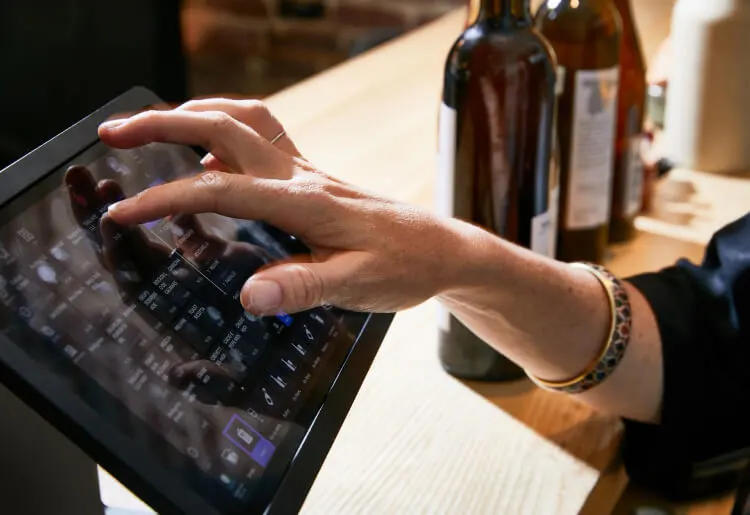
Lightspeed is technically a cloud-based point-of-sale (POS) platform that is hosted on Lightspeed Services and automatically syncs across all the devices you use. If you’re using a desktop device, you can also access Lightspeed through a browser interface. This is not necessary if you prefer a mobile or tablet experience. The iOS app can be downloaded to your iPad to use as a point-of-sale device.

In either case, you will need additional hardware for payment, including a cash register and printer, as well as integration with a retail barcode scanner. Since it works with both formats, Lightspeed sells all the peripherals in a bundle if you don’t have one on hand. This includes the iPad POS Kit (rack, stand, dockable scanner, and receipt printer; iPad not included) or the Desktop POS Kit, which includes a printer, USB scanner, and printer. As with the iPad, you will need your own computer.
With a browser-based interface, you don’t need to use Apple’s desktop product. This gives you more freedom in your work environment.
Ease of Use
Both the front-end and back-end management tools are very easy to use. Like many iPad solutions, it has an attractive design and a very fast learning curve. You’ll be accompanied by a desktop or iPad app to add inventory and manage payments. There are also many customization options for inventory, analytics, and design. The iPhone app is also easy to use, although it doesn’t support accepting payments.
Whether you’re working with guests at tables or serving a long line of customers at a large event, you want your POS system to run smoothly. Lightspeed offers a highly intuitive design that’s easy to use on both the front and back ends.
Primarily browser-based, installation and setup is a simple, step-by-step process, with a wizard guiding you from start to finish. Management functions are strategically grouped by category on the inside, making it easy to access all the important information without having to hide behind multiple menus.
Whether you work in-house or on-premise, the buttons are easy to use, with clear and concise instructions on functionality and progress through the sales process. It’s almost impossible to get lost in the menus. From product management to employee management, this POS platform is easy to customize and use… and a pleasure to work with. Once you get the hang of it, it’s a breeze.
What’s Unique About Lightspeed?
Lightspeed includes hundreds of pre-built, printable reports that you can customize by date. Reports are essential to running a business, and Lightspeed certainly does that. The platform allows you to view total revenue or profit margin, track the effectiveness of promotions, schedule and assign tasks to employees, manage workday closures, and much more. Lightspeed’s advanced reporting features include a variety of customizable widgets so you can create a visual dashboard with the most important elements of running your business. Additionally, any report can be exported to an Excel spreadsheet.
In addition to advanced reporting, it also allows you to sell services alongside physical products. This extends Lightspeed’s use beyond retail to any service-focused environment, such as oil change shops or any other business with service and repair orders.

Customer Support
Lightspeed offers 24/7 support via its toll-free phone number, contact form, and live chat. The staff is friendly and knowledgeable, and you’ll get completely free setup assistance, as well as free updates and all the support you need to learn new features. With secure cloud backup, you’ll never risk losing customer data or critical inventory information.
Pricing (Software and Hardware)
*Annual billing prices. If you choose to pay monthly, your fees will increase.
All of Lightspeed’s plans for retailers include a POS system with payment terminals, while the benefits stack with the basic plan. For example, the Basic, Standard, Advanced, and Professional plans include e-commerce capabilities. The three basic plans (Standard, Advanced, and Professional) also include accounting tools, while higher-end plans include customer loyalty and analytics tools.
Restaurant POS has a basic price, although users can add enhancements such as customer display, advanced reporting, and self-service table menus. Premium add-ons include accounting, loyalty apps, self-service kiosks, and delivery integrations.
Contract Terms
Lightspeed offers a 14-day free trial so you can test out the POS before committing and make sure it’s the right solution for you. After that, we’ll offer you a long-term contract to get the lowest monthly rates. The standard term is 14 months. For hardware, Lightspeed offers its own 30-day warranty, which is supplemented by a manufacturer’s warranty.
Bottom Line
Lightspeed goes above and beyond its features by offering dedicated systems for retail and restaurants, as well as specialized options for industry subcategories such as cafes or bars. You can choose your own powerful integrations from over 250 partners and buy all the hardware in one place.
If you need a balance between an efficient and intuitive interface and high functionality for customer service and management, Lightspeed is a great choice. If you are a small business or startup, it is probably not the right choice due to its high price.