

GoDaddy offers intuitive solutions for creating online stores that you can set up in minutes. Its section-based editor lacks drag-and-drop functionality, and design flexibility is somewhat limited. However, it is easy to use, has an intuitive control panel, and offers various marketing, e-commerce, and artificial intelligence tools. These are all integrated into the website builder, so you don’t have to put in any extra effort to give your site a consistent look. Overall, this is a good option for beginners who want to launch their online store quickly and don’t want to spend a lot of time on design.
GoDaddy Pros & Cons
PROS
Very easy to use
Excellent support
Competitive pricing
CONS
The editor is somewhat limited.
Doesn’t allow you to add custom code
Overview
The GoDaddy Website Builder at a Glance
For over 15 years, GoDaddy has prided itself on being the world’s largest domain registrar, offering exceptional web hosting and website building solutions. Built from the ground up to offer a fast and easy website creation process, and now with new AI tools, GoDaddy’s website builder is focused on empowering small businesses in the e-commerce space.
GoDaddy stands out with its intuitive editor designed for users of all skill levels. Whether you’re a beginner or an expert, GoDaddy makes it easy to create your own website and access a suite of marketing tools perfectly tailored to your online store’s needs. If you’re not sure where to start, GoDaddy can help you get started.
GoDaddy goes beyond website building by providing self-help resources and educational materials that cover every aspect of getting started in e-commerce. From beginner guides to expert advice on launching your new website, GoDaddy has everything you need.
If you’re a small business owner with limited experience, GoDaddy’s Marketing + Websites plan is the perfect choice. Discover the benefits of GoDaddy and confidently build your own website.
Using GoDaddy
Getting started with GoDaddy is easy. You can sign up for a seven-day free trial without providing your credit card or other payment information. Plus, you can continue with the limited free plan indefinitely after the trial ends without losing your work, which is a big plus.
GoDaddy’s user interface is intuitive and easy to navigate. The main dashboard lets you manage everything from your website builder subscription to your domains and any other GoDaddy products you own.
The editor is also clean and easy to use, and we didn’t experience any usability issues during our testing.
GoDaddy Features and Tools
While GoDaddy’s website builder may lack some flexibility, that doesn’t mean it doesn’t have an excellent selection of features.
GoDaddy Appointments
GoDaddy offers excellent online appointment tools that you can add to your website. They let you add a calendar so clients can book appointments online and sync it with various Google and Apple calendars so employees can keep track of their schedules. You can also set it up to accept payments and promote open access on social media, allowing customers to place orders directly from your posts or ads in many marketplaces.
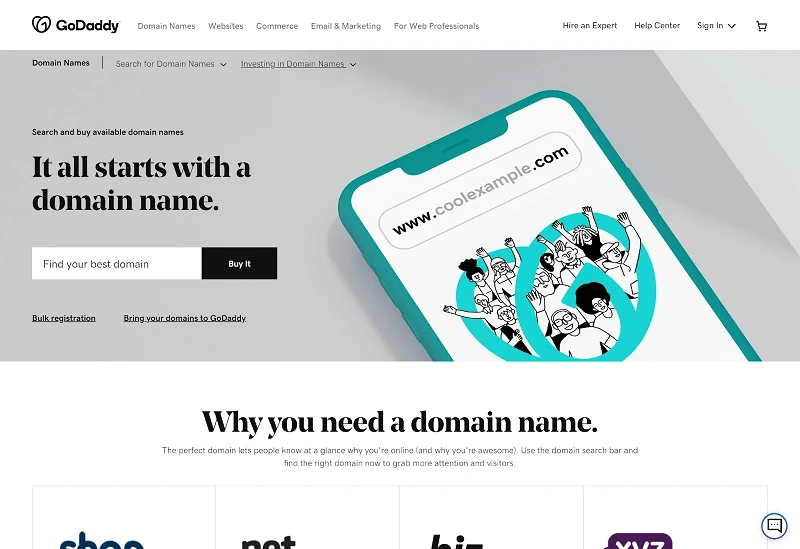
Domain Registrations
As the world’s largest domain registrar, GoDaddy offers a wide range of domain registration and management tools. You can import domains you already own and manage them through your GoDaddy dashboard, and you have a wide range of domain extensions to choose from.
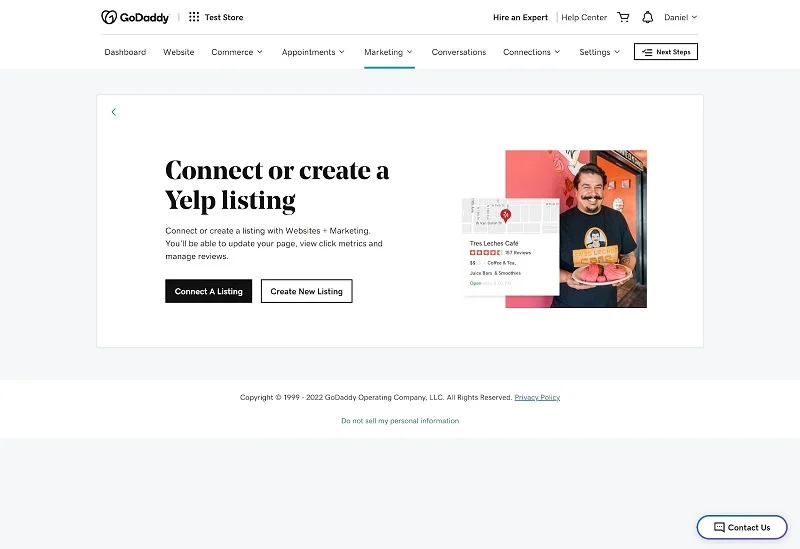
Business Listings
There’s also a handy business directory creation tool available from the main dashboard. This allows you to create profiles on Yelp and Google My Business. You can also connect your social media accounts and get tips on when to post.
GoDaddy’s AI prompt library
GoDaddy’s new generative AI recommendation library offers unique support for small businesses. Business owners can tap into over 35 recommendations and harness the power and knowledge of generative AI. Users can interact with AI chatbots like ChatGPT, Google Bard, and Bing AI to create content that automates tasks like content creation, social media management, and customer service. You can even get help starting a business and getting advice on building a website.
The library aims to level the playing field for small businesses by giving them access to technologies typically reserved for large corporations. The tips can help small businesses with common tasks like generating marketing ideas, responding to customer feedback, and creating content. The library will continue to grow throughout 2023, and GoDaddy plans to add new, innovative features to its products.
It’s important to note that since AI technology is relatively new and still in development, all generated content must be reviewed and validated before being used.
How to create a website with GoDaddy
When you create a new website with GoDaddy, you’ll need to choose a category and give it a name. With a free trial, you’ll have free access to all features for the first week. After that, you can choose a paid subscription if you want to continue using all of GoDaddy’s features. You can also switch to a permanent free plan with limited features without losing your work. Plus, you can always upgrade later.
After you submit your website, you’ll be asked a few questions so GoDaddy can provide you with the right template and suggested sections based on what works best for similar businesses. You can also change the template at any time during the editing process without having to start over. There’s even a mobile editor so you can make changes to your site from anywhere.
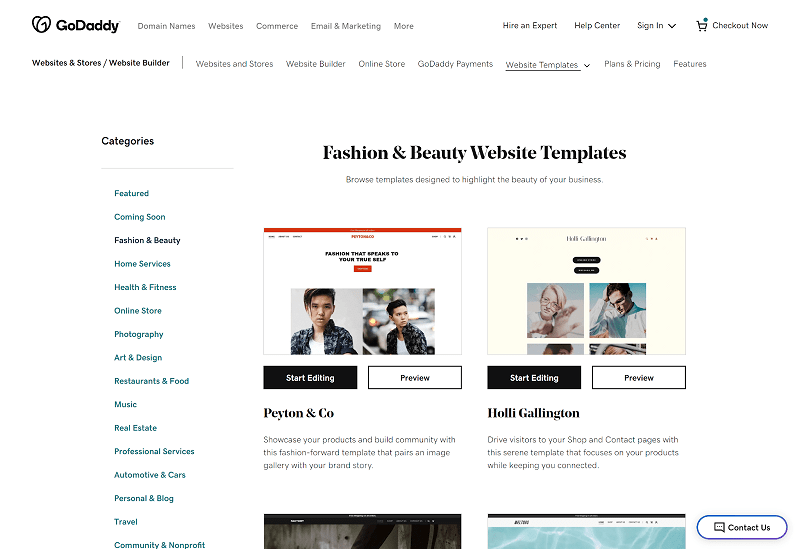
There are hundreds of templates, divided into two categories.
You can add and remove variations and elements from your site using the intuitive editor. You can automatically import your logo, fonts, and colors into the image to maintain brand consistency.
One of the features is GoDaddy’s automatic backup tool.
Fortunately, GoDaddy has spent a lot of time analyzing how users create successful websites, providing a guide with easy-to-follow checklists to help new users understand what steps to take based on their goals. You can preview your site with one click before publishing it.
The pros and cons of the GoDaddy editor are that it doesn’t let you add custom code and doesn’t have keyboard shortcuts. It’s also difficult to export a GoDaddy site to another platform.
Overall, I like GoDaddy. While it’s not very powerful if you’re looking for an advanced website builder, it’s a great option for those who want to get online quickly. GoDaddy doesn’t have all the plugins or flexibility of some other platforms, but its tools are fully integrated with the website builder, so you’ll always have a site that looks and works right.
Adding Multimedia to Your GoDaddy Website
You can upload images to your site as embedded media. You can also integrate Instagram and choose which media to sync with your site.
You can remove background images and edit media using GoDaddy Design Studio, create new videos using the Instant Video tool, and upload videos to YouTube and Vimeo. The built-in editing tools are great.
Marketing Functionality with GoDaddy Websites
With a GoDaddy website builder subscription, you get a wide range of marketing tools, including email marketing tools, a native content creator, and a powerful marketing planner.
Plus, you have access to powerful analytics tools to track the success of these campaigns.
SEO Functionality & Add-Ons with GoDaddy Websites
GoDaddy offers a native SEO assistant that you can use to optimize your website for search engines like Google. Analytics are also available so you can measure the success of your SEO efforts.
In the past, GoDaddy’s SEO features had a history of slow performance and slow speeds. A few changes back then doubled the average score of passing sites, and the company is now well ahead of the competition.
Ecommerce
GoDaddy’s website builder includes an impressive online store that makes selling products a breeze. The online store includes everything you need to run an e-commerce business, including a variety of customizable templates, seamless integration with Etsy, Amazon, Google, and more, and an intuitive interface that makes setup easy. Store and manage your inventory.
Adding products to your online store is quick and easy with AI-powered product descriptions that suggest content when you see a blank screen, and a quick import feature if you sell on other platforms. Plus, sync your inventory across multiple marketplaces so you only have to manage it from one place.
GoDaddy also includes built-in tools to help you sell more, like automated email campaigns. email feeds to recover customers with abandoned carts, the ability to create social media posts to sell directly, and a chat feature to stay in touch with your customers. The builder will also suggest and create other resources for your site, such as FAQs, which are useful for e-commerce businesses.

Payment Processing
GoDaddy’s online store offers a secure payment processing system that supports multiple payment options, including major credit cards, PayPal, Apple Pay, and Google Pay, and provides a streamlined platform for personal payments. Users can also customize their checkout process to match their brand, ensuring a seamless customer experience. GoDaddy also offers the lowest processing fees, allowing customers to keep more of their profits.
Scalability
With GoDaddy, users can start with a small business and easily add more products and features as they grow. It offers seamless integration with major shipping companies, making it easy to manage and ship as your online store grows. In addition, GoDaddy’s online store offers easy-to-use marketing tools that help users attract more customers, including coupons, personalized promotions, and email marketing campaigns.
GoDaddy Customer Support
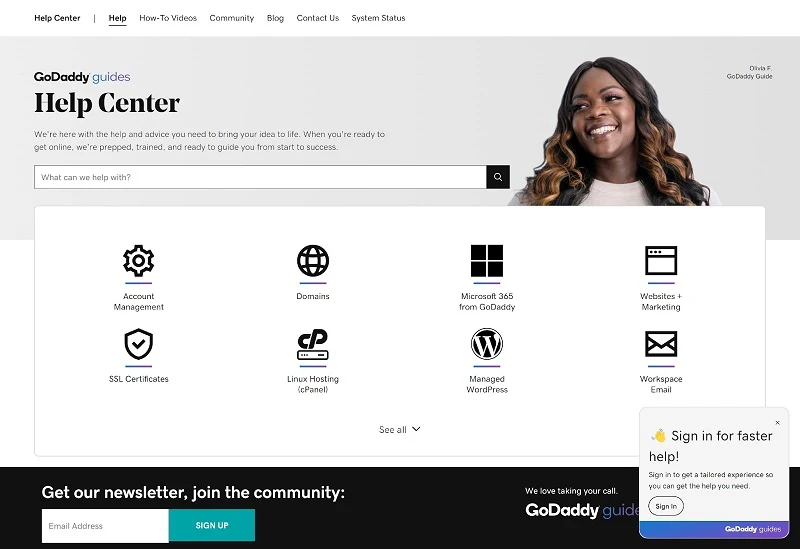
GoDaddy offers 24/7/365 phone and live chat support. Their award-winning support agents are efficient and knowledgeable, and you’ll rarely have to wait more than a few minutes for a response. However, email support is not available.
Another great resource is GoDaddy’s knowledge base, which contains a variety of step-by-step guides, video tutorials, and other self-help articles. You’ll also find a selection of educational webinars, and the GoDaddy community forums allow you to interact with other users and see answers to previous questions.
GoDaddy Pricing
How Much Does GoDaddy Website Builder Cost?
GoDaddy offers marketing plans for up to four websites. All include a seven-day free trial so you can test out the platform. There’s also a free, permanent Basic plan, though it lacks advanced features.
The Basic plan lets you create a simple website and gives you access to email. Upgrading to the Premium plan adds a full suite of online meeting tools, while the Commerce and Commerce Plus plans are designed for e-commerce.
Monthly subscriptions are available, but you’ll get a significant discount with a 12, 24, or 36-month plan. You’ll also get a better introductory price with an annual plan.
GoDaddy and Webador
Webador is more affordable than GoDaddy, but it offers simpler website building solutions. Like GoDaddy, it’s intuitive and easy to use. However, its e-commerce tools are basic, and it lacks email marketing features. Overall, we recommend GoDaddy unless you have a very limited budget where every penny counts.
GoDaddy vs. Wix
Wix is arguably the most powerful website builder in the world and offers a lot of design flexibility. However, it’s a bit more difficult to use than GoDaddy, and is a better option if you want to spend time customizing your site. GoDaddy’s packages are also more comprehensive, and the price includes all the tools: marketing, booking, and store. On the other hand, Wix’s tools usually come with an additional fee that only becomes apparent once you’ve already launched your site. We recommend using GoDaddy if your priority is to get online quickly.
GoDaddy versus Shopify?
Shopify is a leading online store builder designed specifically for e-commerce. GoDaddy’s tools are better integrated, so you won’t have to spend a lot of time getting them up and running and getting the look you want. Shopify has a steep learning curve and many aspects that require personalized attention. It’s a solid option if you want to build your own store, but GoDaddy stands out as a much better choice for personal and business websites overall.
GoDaddy and Weebly
Weebly is a versatile website builder that, like GoDaddy, combines tools for building websites and online stores. It’s also fairly easy to use, though not as straightforward as GoDaddy. However, it offers more design customization, which is a plus. We recommend Weebly for online stores that are too large for the GoDaddy platform.
Bottom line
GoDaddy’s website builder is a versatile option that’s perfect for users at all stages of their ecommerce journey. With an easy-to-use editor and AI tools that don’t require coding or specialized knowledge, you can easily create a powerful online store. With a selection of ecommerce and online booking tools, GoDaddy has everything you need to succeed in the competitive online marketplace.
GoDaddy maintains competitive pricing, making it an attractive option for entrepreneurs. New users can also take advantage of a seven-day free trial, allowing them to experience its capabilities firsthand.
Experience the convenience of GoDaddy’s website building tool and confidently achieve online success.